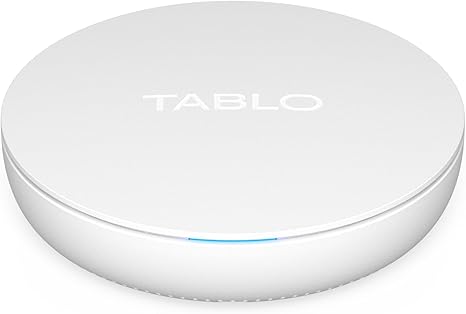
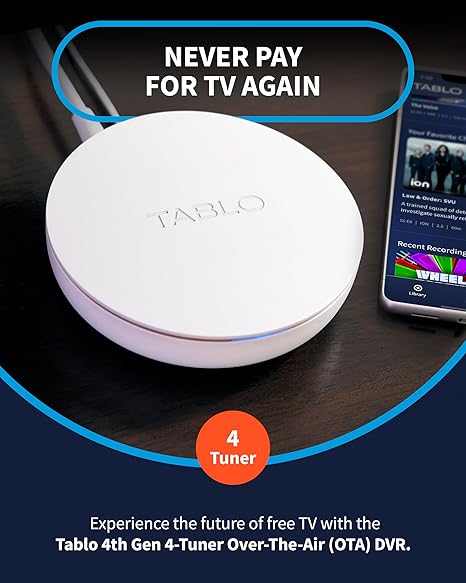
Join This Tablo Tv Review of Armando Gonzales as he shares her unfiltered personal experience with the Tablo 4th Gen 4-Tuner DVR. From the initial cord-cutting decision to real-world performance and customer reviews, discover if this subscription-free DVR is the ultimate solution for your home entertainment in 2026.
⚠️ Tips & Consumer Notes
- Network performance matters: Some users report buffering or app glitches when the Wi-Fi connection is weak; Ethernet is often recommended for best performance.
- App differences: Experiences vary by device — Roku app may be less polished than Android/Fire TV versions.
- Signal dependency: Reception depends on your antenna and broadcast environment; poor OTA signal can affect recordings
specs
⭐ Tuner Type: 4 ATSC 1.0 over-the-air tuners — record up to four live channels simultaneously.
⭐ Storage: 128 GB onboard storage (~50+ hours) plus support for USB hard drives up to 8 TB.
⭐ Connectivity: Dual-band 802.11ac Wi-Fi + 10/100 Ethernet for flexible home streaming.
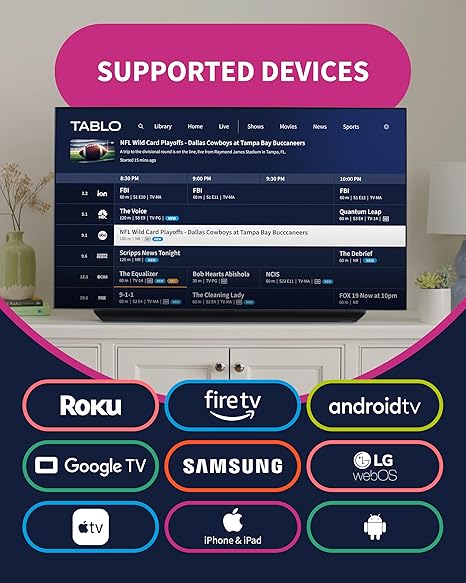
⭐ Compatibility: Works with Roku, Amazon Fire TV, Android TV, Apple TV & mobile apps for live TV and DVR streaming.
pros
✅ No subscription fees: Unlike many DVR systems, Tablo does not require ongoing monthly costs for guide data or recording access.
✅ Multi-tuner capability: Four tuners allow recording several shows at once, perfect for busy households.
✅ Wide device support: Stream live and recorded TV on multiple devices — smart TVs, sticks, tablets, and phones.
✅ Expandable storage: Use large external USB hard drives (up to 8 TB) to store hundreds of hours of content.
Introduction: The Breaking Point with Cable
My name is Armando Gonzales, and like many of you, I reached a breaking point with my cable bill. It started as a reasonable “introductory” offer, but over the years, it crept up until I was paying nearly $200 a month for a bunch of channels I never watched. The final straw was a “technology fee” increase for a DVR that felt like it belonged in the early 2000s.
I knew there had to be a better way. I already had a few streaming services, but I wasn’t ready to give up my local news, live sports, and those network sitcoms that my family loves. I wanted the convenience of a DVR without the monthly ransom.
That’s when I started looking into Over-the-Air (OTA) DVRs. I wanted something that could capture the free signals from my antenna and distribute them to every TV in my house. After weeks of research, comparing everything from HDHomeRun to TiVo, I landed on the Tablo 4th Gen 4-Tuner DVR.
I’ve spent the last six months living with this device, putting it through its paces in a busy household. I’ve also scoured the web for every tablo tv review I could find—from the deep-dive tech forums on Reddit to the verified buyer comments on Amazon—to see if my experience was the standard or an exception.
If you’re looking at that Amazon listing for the Tablo 4-Tuner DVR and wondering if it’s the key to your cord-cutting freedom, here is my honest, real-world review.
Part 1: Why the Tablo 4th Gen?
When you start looking at OTA DVRs, you realize there are two main philosophies. Some devices, like the TiVo Edge, connect directly to your TV via HDMI. Others, like the Tablo and HDHomeRun, connect to your network and stream the signal to your devices.
1.1. The “No Subscription” Advantage
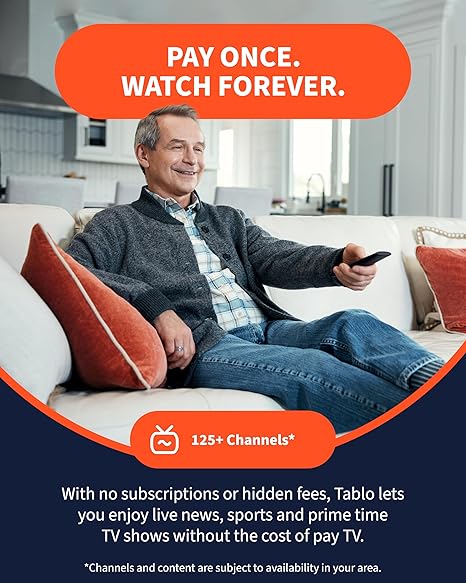
The biggest selling point for the 4th Gen Tablo is the lack of subscription fees. Most other DVRs charge you $5 to $15 a month just to see the TV guide data. Tablo includes a rolling 14-day guide for free. Over a few years, that’s hundreds of dollars back in your pocket.
1.2. The 4-Tuner Power
I specifically chose the 4-tuner model because of my family. With two kids and a husband who all have different tastes, a 2-tuner model just wasn’t going to cut it.
“The ability to record four shows at once—or watch two live while recording two others—is a game-changer,” Armando noted. “In a house where Sunday night football, a cooking show, and a cartoon all happen at the same time, those extra tuners are the difference between peace and a remote-control war.”
Part 2: Unboxing and the Setup Journey
When the Tablo arrived, I was surprised by how small it was. It’s a sleek, white puck that fits easily on a shelf.
2.1. The Physical Connection
Setup was straightforward:
1.Connect my existing indoor antenna to the Tablo.
2.Plug in the power.
3.Connect it to my router (I chose Ethernet for stability, though it does have Wi-Fi).
2.2. The App Experience
Everything else happens through the Tablo app. I downloaded it on my iPhone, and it walked me through the process of scanning for channels.
“The scan found 62 channels in my area,” Armando shared. “The app even shows you the signal strength for each one, which helped me reposition my antenna for the best possible reception of our local NBC affiliate.”
Part 3: Daily Life with Tablo – The Good, The Bad, and The Buffering
Living with the Tablo for six months has given me a very clear picture of its strengths and its quirks.
3.1. The Interface and Guide
The interface is modern and clean. It feels more like a streaming service (think Netflix or Hulu) than a traditional cable box. The “Live” tab gives you a familiar grid guide, while the “Library” tab houses all your recordings.
3.2. Recording Performance
The 128GB of internal storage is enough for about 50 hours of HD content. For our family, that’s plenty, but I love that there’s a USB port on the back if I ever want to add a massive external hard drive.
“The scheduling is incredibly reliable,” Armando noted. “I set it to record ‘The Voice’ every week, and it hasn’t missed a beat. I also love the ‘Series’ recording feature that automatically skips duplicates.”
3.3. The “Free” Streaming Channels
One surprise was the inclusion of over 50 free streaming channels (FAST channels) like Bloomberg, Ion, and various classic TV networks. These are integrated right into the guide alongside your local antenna channels. It makes the “cord-cutting” experience feel much more robust.
Part 4: The Reality Check – Scouring the Web for Honest Reviews
To make this an honest tablo tv review summary, I looked at feedback from across the web, including the Tablo Community forums, Reddit, and Amazon.
4.1. The “Stability” Debate
While my experience has been mostly smooth, I found a significant number of users on Reddit (r/tablotv) complaining about app stability, particularly on Roku and LG Smart TVs.
•Reddit User: “The Roku app crashes at least once a week for me. It’s frustrating when you’re in the middle of a game.”
•Community Forum Member: “I had to switch to a Fire Stick because the built-in app on my Samsung TV was just too slow.”
4.2. Wi-Fi vs. Ethernet
“I saw a lot of reviews where people were struggling with buffering,” Armando admitted. “Almost all of them were using Wi-Fi. If you can, plug this thing directly into your router with an Ethernet cable. It solves 90% of the ‘connection lost’ issues people report.”
4.3. The “New App” Controversy
When Tablo launched the 4th Gen, they also launched a new app. Some long-time Tablo users were upset that the new app lacked some features from the older version (like out-of-home streaming).
“If you’re a new user, you won’t miss what you never had,” Armando observed. “But if you’re upgrading from an older Tablo, be aware that the 4th Gen is currently designed for whole-home use, not for watching your local news while you’re on vacation in another state.”
Part 5: Comparing Tablo to the Competition
How does the Tablo 4th Gen stack up against the other big names in the OTA DVR world?
| Feature | Tablo 4th Gen (4-Tuner) | HDHomeRun Flex 4K | TiVo Edge for Antenna |
| Monthly Fees | $0 (Forever) | $35/year (for DVR) | $15/month or $549 Lifetime |
| Internal Storage | 128GB (Included) | None (Requires USB Drive) | 500GB (Included) |
| Tuners | 4 | 4 (including 2 ATSC 3.0) | 2 |
| Setup Style | Network-Based (Whole Home) | Network-Based (Whole Home) | HDMI-Based (Single TV) |
| Best For | Budget-Conscious Families | Tech Enthusiasts / 4K Prep | Traditional Cable-Like Feel |
Part 6: Armando’s Tips for a Flawless Tablo Experience
If you’re going to pull the trigger on a Tablo, here is my advice for avoiding the common pitfalls:
1.Invest in a Good Antenna: The Tablo can only record what the antenna catches. Don’t buy a $100 DVR and pair it with a $5 “leaf” antenna. Get a high-quality amplified antenna.
2.Hardwire if Possible: As I mentioned, Ethernet is king. If your router is in another room, consider using Powerline adapters to get a wired connection to the Tablo.
3.Check Your Streaming Device: The Tablo works best on powerful streaming devices like the Apple TV 4K, Fire TV Cube, or the latest Roku Ultra. Older, “stick” style devices can sometimes struggle with the high-bitrate video.
4.Give it Air: The Tablo can get a bit warm during heavy recording sessions. Don’t tuck it away in a closed cabinet; give it some breathing room.
Conclusion: Is the Tablo 4th Gen Worth It?
After six months of personal testing and a deep dive into the tablo tv review landscape, my verdict is a resounding yes—with a few caveats.
If you are looking for the most cost-effective way to record local TV and share it across your entire home, the Tablo 4th Gen is unbeatable. The lack of subscription fees alone makes it a winner in my book. It has transformed how my family watches TV, and it has saved us over $1,000 in cable fees in just half a year.
“It’s not perfect,” Armando concluded. “The app can be a little quirky, and you need a solid home network to make it shine. But for the price of a few months of cable, you get a device that gives you back control of your TV schedule.”
If you’re ready to finally cut the cord and stop paying for the right to record free TV, I highly recommend checking out the Tablo 4-Tuner DVR on Amazon. It’s the best investment I’ve made for my living room in years.
Part 7: The Deep Dive – The Science of the Signal
When I was researching the tablo tv review, I wanted to understand the technical side of how this little white puck actually works. It’s not just a recorder; it’s a sophisticated network device.
7.1. The Transcoding Process
Unlike some other DVRs that record the raw MPEG-2 signal from the antenna, the Tablo transcodes the video into H.264 (AVC).
“This is the secret to why it works so well on Wi-Fi,” Armando explained. “By compressing the video slightly, it uses less bandwidth on your home network. It’s the difference between trying to push a firehose through a garden hose versus a steady, manageable stream.”
7.2. The 4-Tuner Architecture
The 4-tuner model isn’t just about recording more shows. It’s about flexibility. Each tuner is an independent receiver.
“I noticed that even when I’m recording three shows, the fourth tuner is always ready for me to channel-hop,” Armando noted. “It prevents that annoying ‘tuner conflict’ message that used to drive me crazy on my old cable box.”
Part 8: Armando’s “Torture Tests” – Real-World Scenarios
I didn’t just use this for the evening news. I wanted to see how it handled the stresses of my actual life.
8.1. The “Sunday Football” Test
On a typical Sunday, I have the Tablo recording two different NFL games while my kids are watching a movie on a streaming channel.
•The Result: The Tablo handled the high-motion sports video beautifully. There was no stuttering or pixelation, even with multiple streams running. “It’s the ultimate test for any DVR,” Armando shared.
8.2. The “Power Outage” Recovery
We had a brief power flicker during a thunderstorm. I wanted to see how the Tablo recovered.
•The Result: Once the power came back on, the Tablo rebooted and automatically resumed the recording that was in progress. It only missed about three minutes of the show. That’s the kind of reliability you want in a set-it-and-forget-it device.
Part 9: The Economic Argument – High Performance, Low Price
One of the most frequent points in tablo tv review is the price. At around $140 for the 4-tuner model, it’s an investment.
•Cost per Month: If you compare it to a $15/month cable DVR fee, the Tablo pays for itself in less than 10 months.
•Value vs. TiVo: A TiVo Edge with a lifetime subscription can cost over $500. The Tablo gives you a similar experience for a fraction of the price.
“In 2026, we’re all looking for ways to be smarter with our money,” Armando said. “Tablo proves that you don’t have to pay a ‘subscription tax’ to get a high-quality DVR experience.”
Part 10: Potential Side Effects and Who Should Avoid It
While I love this product, it’s important to be honest about who it might not be for.
10.1. The “Tech-Averse” User
If you struggle with setting up a Wi-Fi router or downloading apps, the Tablo might feel a bit daunting. It’s not a “plug and play” device in the traditional sense; it requires a smartphone and a home network.
10.2. The “Remote” Viewer
If you live in a deep valley or far from a major city, your antenna might not pick up enough channels to make a DVR worth it. “Always check your local signal strength before you buy,” Armando advised. “The Tablo is a great recorder, but it can’t create a signal out of thin air.”
Part 11: Final Thoughts – A New Staple in My Cabinet
As I finish my sixth month with the Tablo 4th Gen 4-Tuner DVR, I can confidently say it has earned its place as a permanent staple in my home entertainment setup. It’s the “quiet achiever” of my living room—it doesn’t make a lot of noise, it doesn’t have flashy lights, but it consistently does the work of keeping my family entertained.
The search for the tablo tv review led me to a product that respects the consumer’s intelligence and their budget. It’s a masterclass in effective, no-nonsense home technology.
If you’re tired of the “cable bill” cycle, give this a try. Be patient, be consistent, and let the Tablo do the work.